Age Verification
This website contains age-restricted material including nudity and explicit content. By entering, you confirm being at least 18 years old or the age of majority in the jurisdiction you are accessing the website from.
I am 18+ or older - Enter
I am under 18 - Exit
Our parental controls page explains how you can easily block access to this site.

Last posts - Page 1674

  Forum

VirtualPad
Joined in Sep 2007
4024 post(s)

A new version of iStripper is out! (version 1.2.132 for windows)

Everything about iStripper
October 2, 2016, 120 answers
First of all, the X in the upper right corner of a window does not mean to close the program in MS Windows. By definition of Windows, the X has the function of closing the Window (GUI), not the program. But in most cases it functionally does both because that is the intended behavior and there is only one window corresponding to the program. Excel for example can have two or more spreadsheets open and if you close one window with the X, the other spreadsheets stays open and the Excel program stays running. There's only one incidence of the program running no matter how many spreadsheets you have open unless you explicitly tell it otherwise. There are other cases where a program runs and it has multiple windows open for the same program/application and if you close one window with the X, it only closes that window and not the program. Then it would be best to maybe eliminate the X button by default unless you select the option to "Minimize to System Tray" in which case the X button would appear.

But I have to agree with Carbo that I like his idea the best of having the option in Advanced Settings to "Minimize to System Tray" (or as Rex said, "Show an X button in GUI") for those who want that behavior and understand it. It would not be the default so that new users would always see the taskbar icon. You could then eliminate the X button by default except when you select the option to "Minimize to System Tray" (or "Show an X button in GUI") in which case the X button would appear. This is essentially what Rex is saying and what Carbo (and us) wants.
Wyldanimal
MODERATOR
Joined in Mar 2008
17784 post(s)

A new version of iStripper is out! (version 1.2.132 for windows)

Everything about iStripper
October 2, 2016, 120 answers
You are all missing the Issue here.
if the Systray Icon Never shows up for a 1st time user, they Don't even know one Exists..
All they have is the GUI...

Now they Click on the "X" the GUI closes,

BUT it is running in the background, they Just Don't know it..

some time later
They Click on the iStripper Desktop Icon to Start it again, And Nothing Happens..
Click, Nothing, Click Nothing, Click Nothing...

That is the Issue that Customer Service was being ***** with....

Honestly, not all of the members here are the sharpest tools all the time..
they don't pay too much attention to how the OS is supposed to work..
they just want nude images on their computer, and don't care to know how it does it, just that it does...

ask them to click on the systray icon, and they go
"Whah??? My Sister whah???"
by the clock, the Little Images by the Clock....
"Ummm, my clock is on a blank wall, I don't have no images by my clock"
No, On your Desktop there is a clock, and by the clock are tiny images called icons..
"You must be looking at the wrong house, I don't have no clock on my desk, it's on my wall and there are no darn picters by my clock"

yes I've had these types of conversations, too many times....

So to Resolve it....
the "X" doesn't close the Taskbar Icon. So you can See that it is still running.

Maybe Totem Should just take away the "X" on the GUI
that would solve all the complaints.

Yes, Totem please Take away the "X" and only have a Maximize and minimize to taskbar control

iStripper is Closed by using the system Tray Icon and Quitting anyway.
The "X" never did really Close it.

So if Totem takes away the "X" then that solves it..
FalconAF
Joined in Jan 2008
530 post(s)

A new version of iStripper is out! (version 1.2.132 for windows)

Everything about iStripper
October 2, 2016, 120 answers
Reading the whole discussion about iStripper being in the System Tray and the Taskbar is hilarious. There are good (and bad) points being made for each side of the discussion. But what boggles MY mind is this:

1. iStripper is a program made to run on an Operating System (in this case, Windows) that historically WILL place an icon in the System Tray UNLESS the user tells it not to. That is the way it has ALWAYS worked in Windows for ALL users. PLUS...

2. In the upper right-hand corner of any program's window...like the iStripper window...clicking the "X" ALWAYS CLOSED the program. Clicking the "_" is what would MINIMIZE the program's window to the TASKBAR.

Those 2 simple choices...clicking the "X" or "_"...is what has ALWAYS determined if the program will close or just get minimized.

So...WHY does a company come along and make the "X" and the "_" do the SAME THING now in their program? The program...written to work IN CONJUNCTION WITH the Operating System it is designed to work with...should NOT change the way the "X" and the "_" buttons in the windows of the Operating System work. It is just ***** and a ***** in the *ss for people who HAVE been using Windows for ages. If I WANT iStripper to get displayed in my TASKBAR, give me the CHOICE to make it happen using the "_" button, the SAME WAY it has been done in the Operating System for over 2 decades. And the "X" button SHOULD close the program, the same way it has for the same 2 decades.

Program your software program any way you want IT to work. But don't make it change the way the OPERATING SYSTEM works it runs on.

That, to me, is the REAL issue and complaint. It shouldn't be about whether or not a new user knows how to use the Operating System in the first place. There's an instruction manual that comes with the OS that will tell them what the "X" and "_" buttons do. It they don't learn how to use the Operating System the way IT was designed to work in the first place, no OTHER program should be changing the way the OS works just to accomodate them.
Wyldanimal
MODERATOR
Joined in Mar 2008
17784 post(s)
Wyldanimal
MODERATOR
Joined in Mar 2008
17784 post(s)

A new version of iStripper is out! (version 1.2.132 for windows)

Everything about iStripper
October 1, 2016, 120 answers
@Carbo,
You mention that new users should know how to change the behavior of the taskbar icons and yet you don't seem to know yourself. Maybe I'm not understanding what you mean but you can always control what icons show in the taskbar and what icons are hidden. Simply right click on the area down by the icons but not on an icon and then click on "Customize notification icons". Then you can select any icon and choose to show them or hide them. Simply select the iStripper icon and choose to hide it.

I think you have the taskbar and system tray ( systray ) mixed up.
the systray is the small area on Widows by the clock. There you can control which icons are displyed and which are hidden.
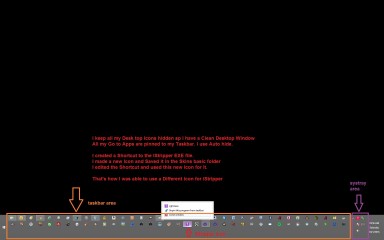
The Taskbar is the Middle of the bar under the screen where Active / running Apps display their Icon. if an App is Running, you can also right click and PIN it to the Task bar, so you have quick access to that App's Icon.

What everyone is ***** about is that when iStripper is Active and the GUI is Open, there is a BIG iStripper icon on the Taskbar. plus there is a small iStripper icon in the System Tray area.

When you click on the "X" in the GUI, the Taskbar Icon remains Displayed

Totem designed it this way, Because - When you First time install iStripper, that System Tray icon is Hidden. ( sure us long time users have made it always visible )
But a Brand new 1st time install, it gets hidden.

When a new user would Close the GUI, the Task Bar Icon went away, and the systray icon is hidden, there is NO way to get the GUI back.
Even in full list of programs, double clicking the iStripper Icon in the Programs
Will not re-open it, as an Instance is Already Running.

So, the "X" no longer closes the Taskbar Icon while iStripper continues to run.

your Options are to Right Click the taskbar Icon and Close it
or
under Advance Settings
Switch to one of the Safe For Work ( SFW) Different Names.
if you select one of the SFW options, then the GUI's "X" does close out the taskbar Icon.